Sendbot Docs home page
English
Search the Sendbot documentation...
⌘K
Website
eltonciatto/sendbot.co
Dashboard
Dashboard
Search...
Navigation
Inputs
Time
Get Started
Welcome
Creating a bot
Flow
Graph
Create with AI
Edit with AI
Blocks
Overview
Bubbles
Inputs
Text input
Number
Email
Website
Date
Time
Phone
Buttons
Picture choice
Payment
Rating
File upload
Cards
Logic
Integrations
Events
Variables
Publish
Share
Context menu
Export / Import a bot
Theme
Overview
Font
Settings
Overview
Remember user
Deploy
Web
WhatsApp
Instagram
Facebook
Telegram
API
Results
Overview
Analytics
External Sync (BYOD)
User
User preferences
Delete account
Credentials
Workspace
Overview
Add members and guests
Subscription
Credits and Usage
Guides
How to get help?
Add a subscriber to MailerLite
Dynamic avatars
Enable RTL
Forward UTM parameters to a bot
How to create loops?
How to split AI message into multiple messages
Misc
FAQ
Report Abuse
Bot Schema Releases
API Platform
API v3 Overview
Authentication
Access & Identity
Authentication
Connected Accounts
Users
User API Tokens
Workspace Management
GET
List Workspaces
GET
Get Workspace
POST
Create Workspace
PATCH
Update Workspace
DEL
Delete Workspace
Members
Invitations
Folders
Folder Favorites
Workspace API Tokens
Bot Engineering
GET
List Bots
GET
Get Bot
POST
Create Bot
PATCH
Update Bot
DEL
Delete Bot
POST
Import Bot
POST
Get Linked Bots
GET
Get Bot by Domain
GET
Public ID Availability
GET
Get Bot Draft
Publishing & Discovery
Collaborators
Invitations
Testing
Media
Webhook Blocks
Chat API
POST
Start Session
Start Chat Session
Start Preview Session
POST
Continue Session
POST
Pause Session
POST
Resume Session
DEL
Close Session
PATCH
Update Session
POST
Update Bot in Session
Streaming
Session Events
Analytics & Data
Results
Jobs & Exports
Analytics
Observability
Billing & Usage
GET
Get Balance
GET
Get History
GET
Get Usage
GET
Get Usage Stats
GET
Get Pricing
Subscription
Checkout
Catalog & Invoices
Plans
Webhooks
AI & Automation
GET
List AI Models
POST
Generate Flow (AI)
POST
Edit Flow (AI)
POST
Start AI Agent
POST
Add AI Memory
POST
Generate Group Title
Integrations & Channels
Google Sheets
HTTP & Webhooks
Forge
OpenAI
Payments
WhatsApp Meta
WhatsApp
WhatsApp Preview
Instagram
TikTok
Facebook
Telegram
Gmail
Evolution API
Email
Infrastructure & Assets
Custom Domains
Storage
Theme Templates
Credentials
Inputs
Time
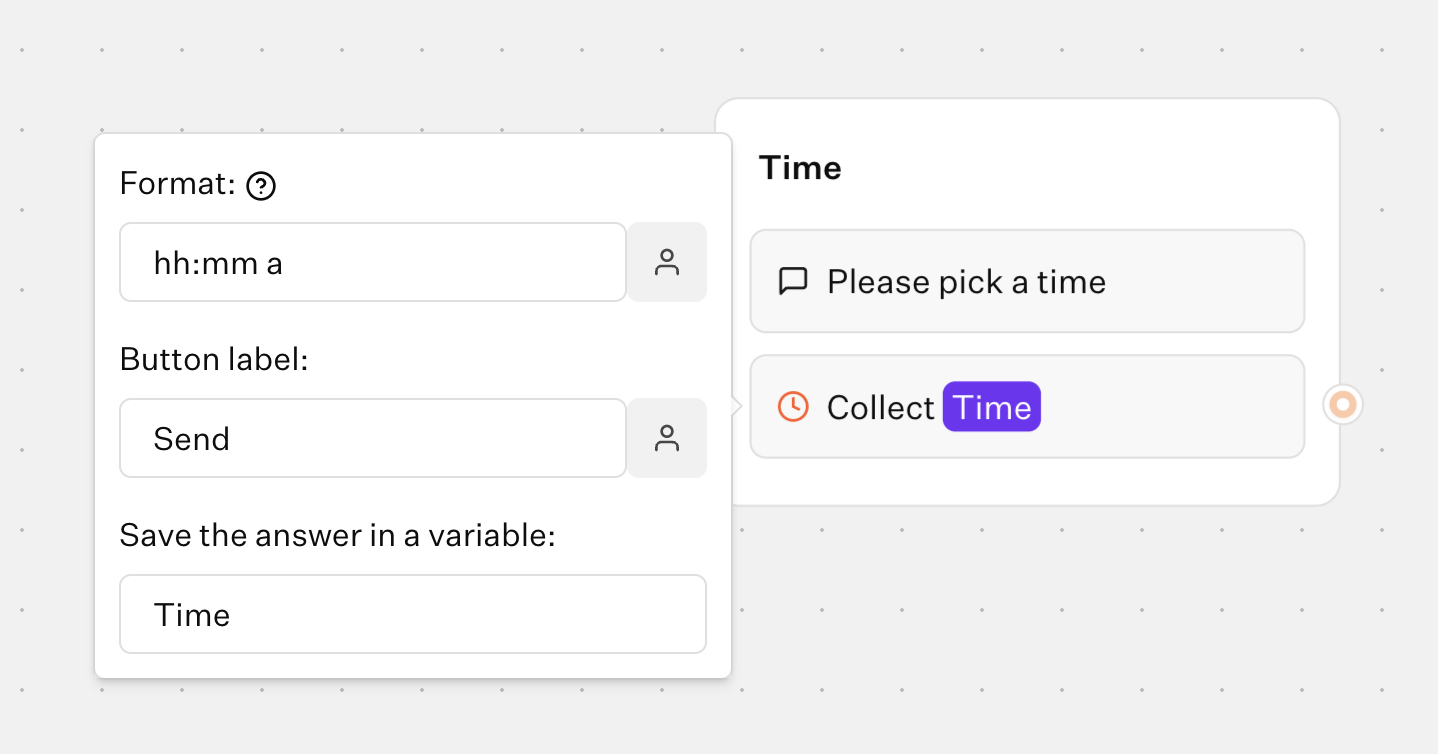
The Time input block allows you to ask your user for a time. You can chose between 12 hour and 24 hour format.
Flow
Bot
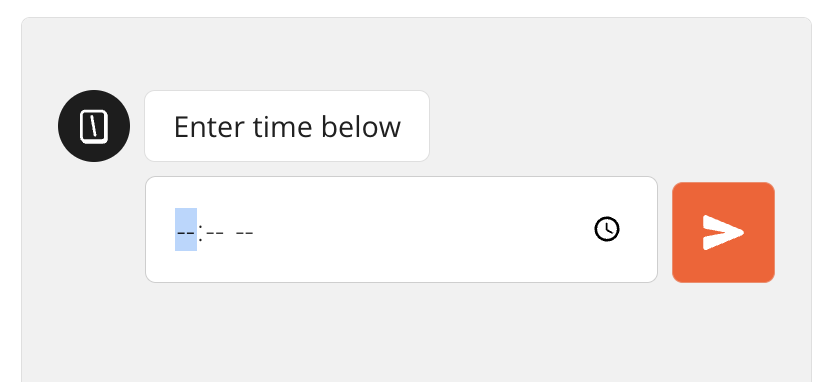
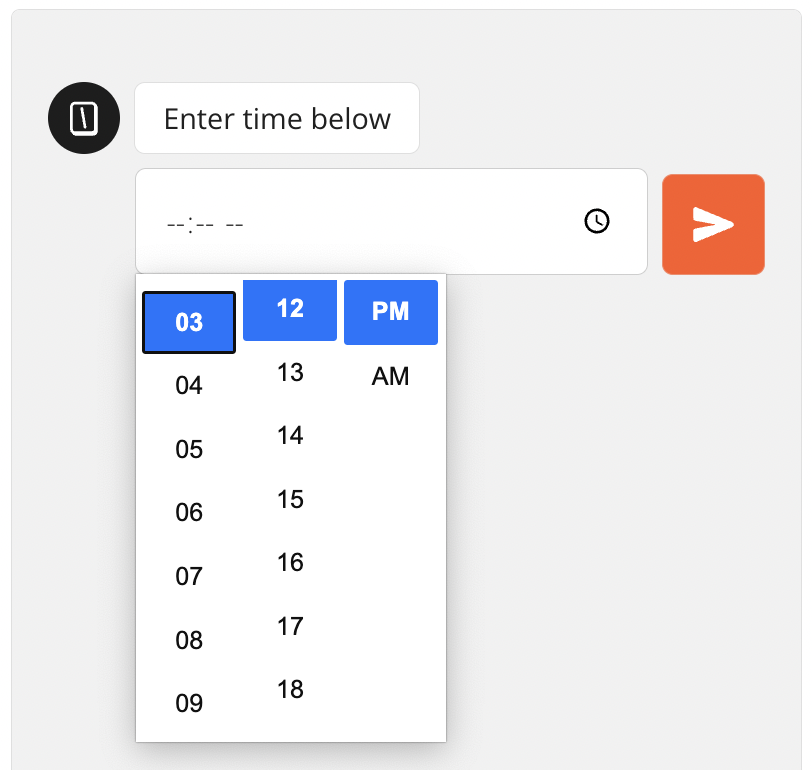
The input will use the native time picker depending on the device and browser used to answer the bot. For example on Chrome it looks like this:
Date
Phone
⌘I